
Pick the setup that fits your plant.
Five proven ways to connect Access Gate, from one switch in one plant to many sites. Each one shows the diagram, the traffic flows and what to configure. Production keeps running in all of them.
Plug in beside your network.
SimpleOne appliance per plant connects to a switch you already have. It finds every machine and controls who reaches them from the first day. Nothing changes on your machines, and production keeps running.
View architecture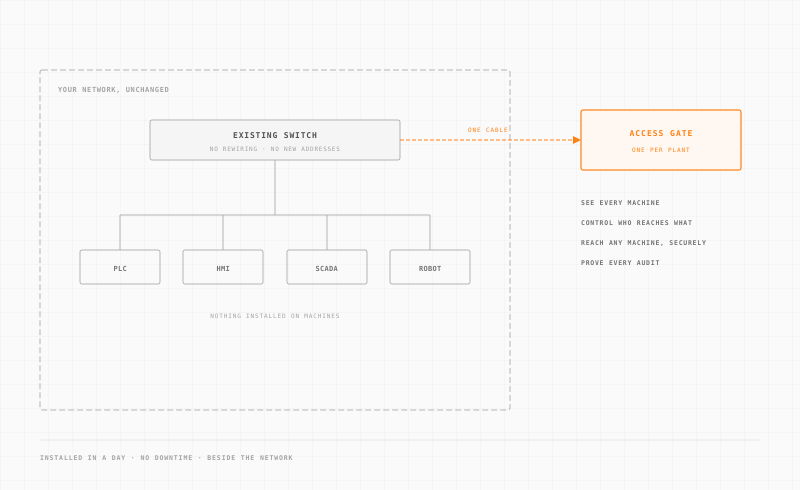
One gateway for the whole plant.
MediumOne Access Gate covers the plant's IT and OT networks. Run it in-line, so all machine traffic passes through it and it carries your VLANs. Or connect it beside your firewall and router, which changes less.
View architecture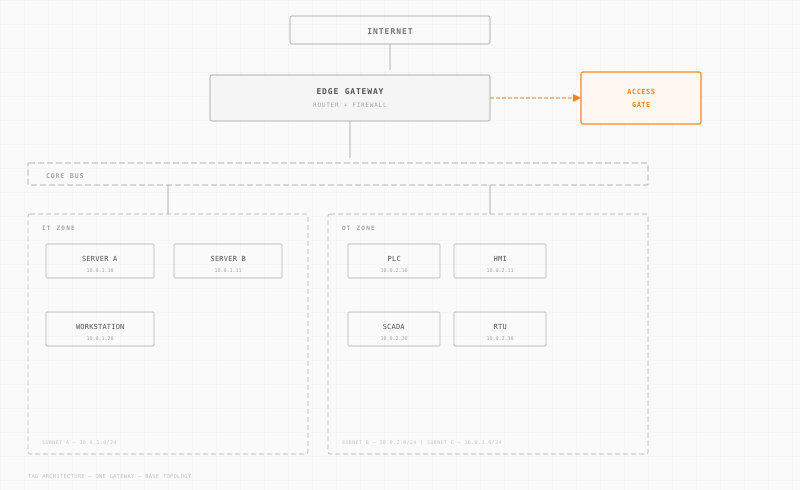
Remote access for staff and vendors.
MediumTailscale carries the encrypted link. Access Gate checks who connects, asks for MFA and limits each session to one machine. Every session is recorded for the audit.
View architecture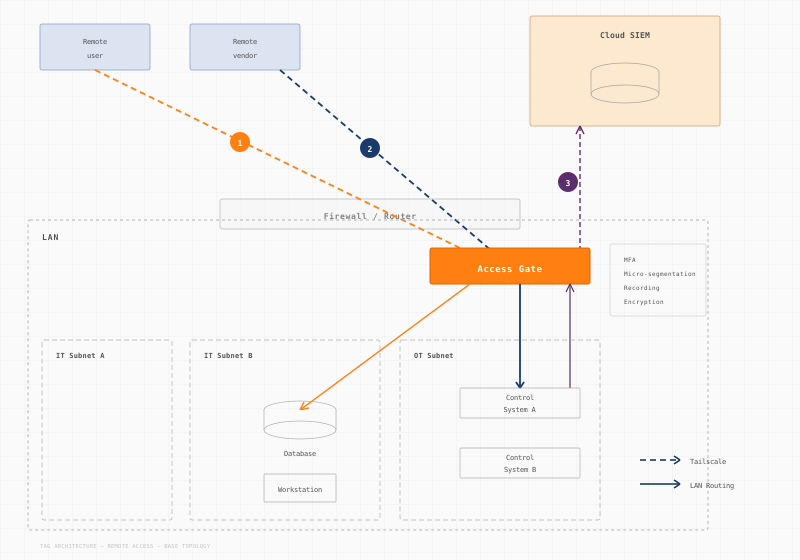
Two gateway layers for IT and OT.
AdvancedProtect IT and OT separately, or focus on OT alone. You control traffic coming in from outside and traffic moving between machines.
View architecture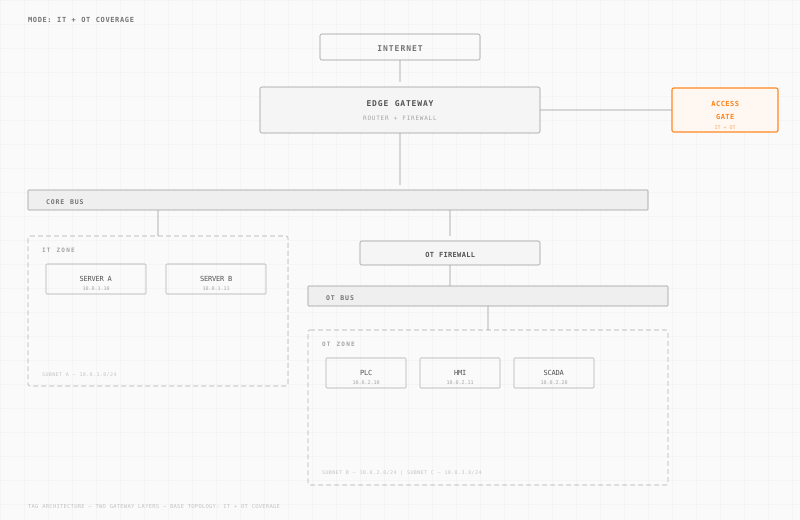
Many plants, one set of rules.
AdvancedOne Access Gate per plant, linked by secure tunnels. Protected zones extend from one plant to another, with no cloud controller.
View architecture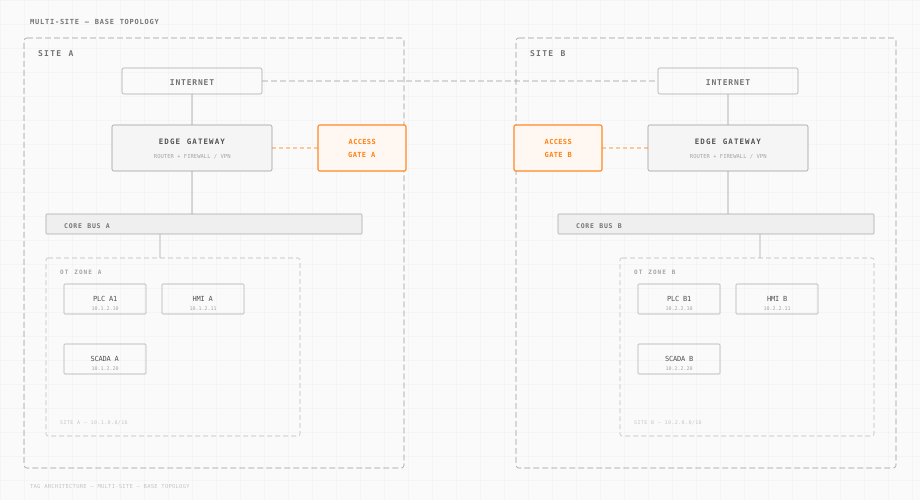
Built for real plant networks.
Every design respects how plants run. No downtime and nothing to install on machines. You choose the footprint: in-line for the widest coverage, or beside the network for the lightest change.
Two ways to connect.
In-line, the Access Gate carries your VLANs and trunks and acts as the machines' gateway. That gives the most control, even without managed switches. Beside the network, it works through routes and DNS, with no VLAN changes. Both are fully supported.
Every traffic path is mapped.
Each design shows north-south flows (VPN coming in) and east-west flows (between machines). You see how traffic moves and where it is checked.
Start small, then grow.
Start with OT and add IT later. Or start with one plant and add more. Each design builds on the one before, so nothing is thrown away.
Ready for many plants.
The multi-site design extends protected zones across WAN links. You get one policy and one view of every plant, with no central cloud.
Clear setup steps.
Every diagram lists the key setup points: what to connect, how to route traffic and which policies to apply on the Access Gate.
One appliance runs your plant services.
The Access Gate is a physical appliance that sits next to the machines it protects. Besides security, it runs remote access, protocol gateways, DNS and time, file sharing, a historian, dashboards and an update server.


How many sites do you run?
Count your plants and small sites. See the Access Gates you need, the price and the ROI against a network project.
The gate is the first service you run, not the last.
Every design is documented step by step.
The docs cover installation, routing and access rules for each design.