
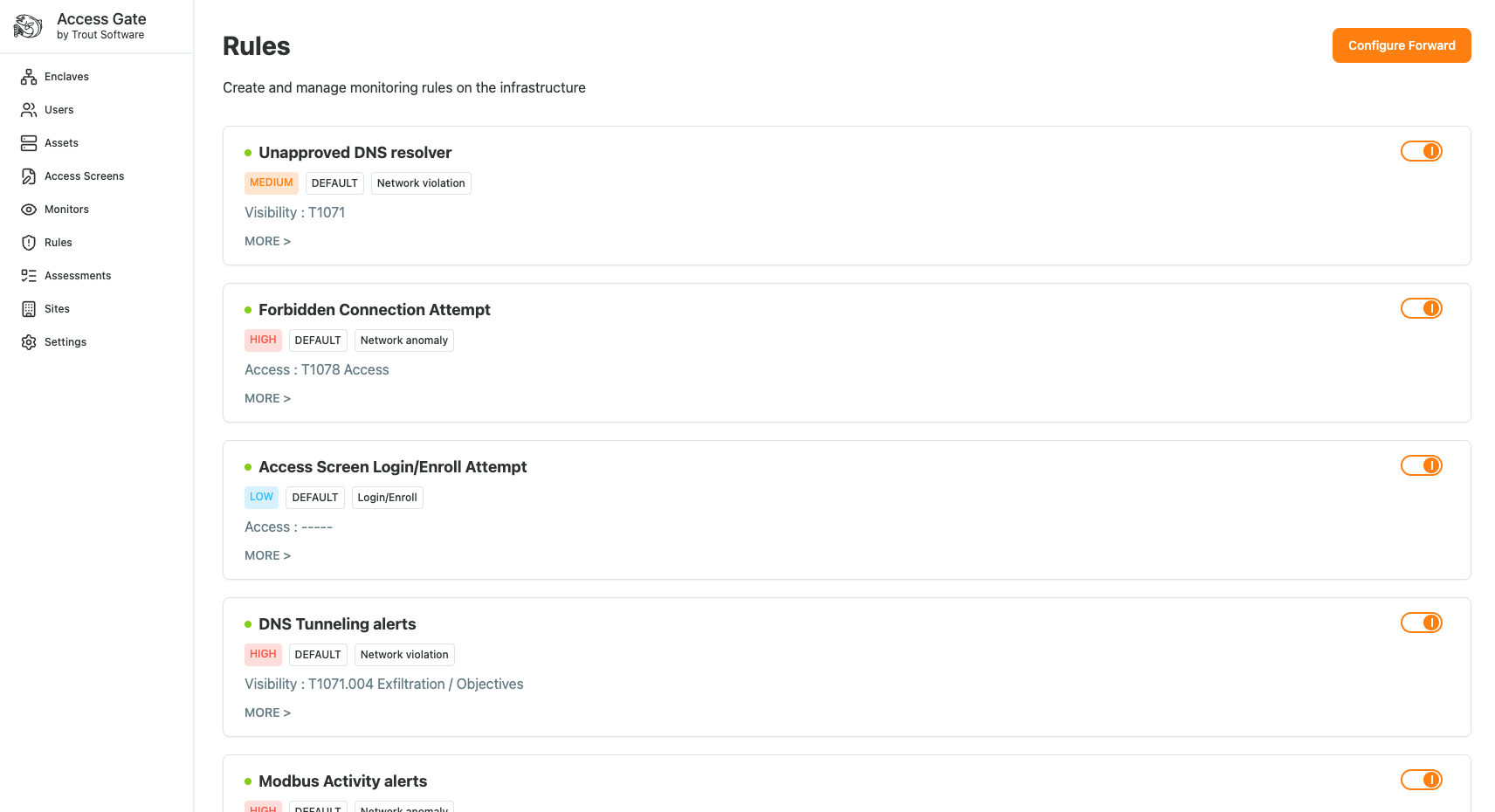
Access Gate generates detections based on behaviors and a set of rules that can be configured in Rules menu.
Syslog Destination
Access Gate sends events over syslog via TCP. Most SIEMs accept this out of the box: Splunk, Elastic, QRadar, and Sentinel (via its syslog connector) all work without custom integration.
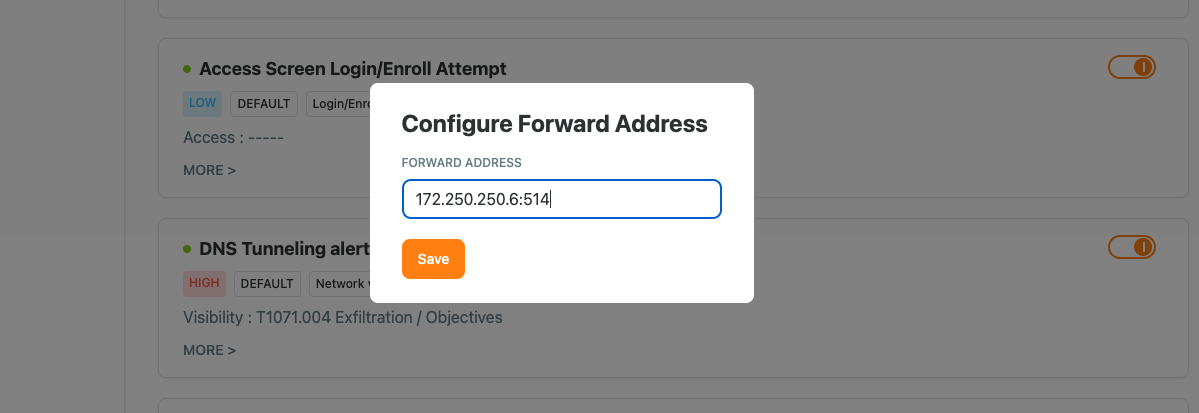
Configure a syslog destination
- Navigate to Rules → Configure Forward.
- Enter the hostname/IP, port (
514for example), and transport. - Pick which rules to send to this destination by ticking rules in the list
Recap
We pointed Access Gate at a SIEM by adding a TCP syslog destination under Rules and selecting which rules forward to it. Reach for this whenever you want alerts, flows, and audit events to land in Splunk, Elastic, QRadar, or Sentinel for central correlation and retention.
Related
- Log forwarding to Wazuh SIEM, Wazuh-side decoder and rules
- Log forwarding to Elastic SIEM, Logstash pipeline and Kibana setup
- Log forwarding to Splunk SIEM, TCP input, sourcetype, and alerts
- Detection and alerts, what populates the alert stream
- System logs and diagnostics information, on-box logs for troubleshooting
- Viewing enclave change history, what's in the audit stream