
Access Gate uses the NTP protocol to synchronize its software clock. A correct clock is critical for log timestamps, but also certificates and tunnels authentication. There is usually no need to configure NTP, as Access Gate self configures based (1) on the information received from a DHCP lease on its Overlay port, or (2) use the default time.google.com if none is set.
Check Existing Firewall Rules for Access Gate WAN Access
NTP requests are sent through the overlay interface (not the monitoring, admin, or others...). Ensure your existing firewall rules allow outbound WAN connectivity from the Access Gate overlay port.
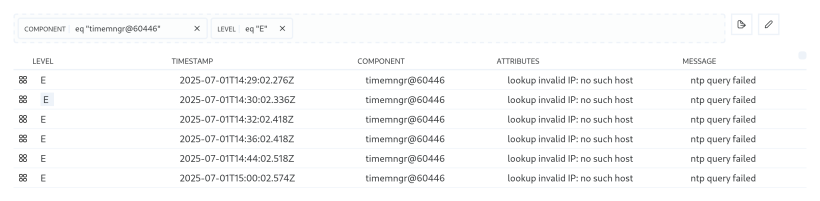
To look for possible configuration errors in the logs, use the query eq "timemngr@60446" [component] and eq "E" [level]:
For an example setting NTP in a router:
/ip/dhcp-server-network
 add address=100.65.0.0/29 gateway=100.65.0.1 ntp-server=100.65.0.2