
Access Gate uses NTP to keep its own clock accurate. A correct clock matters for log timestamps, certificates and tunnel authentication.
By default, Access Gate syncs with time.google.com. To use a local NTP server instead, hand it out in the DHCP lease on the Access Gate Overlay port: Access Gate picks it up automatically, with nothing to configure on the appliance.
Check Existing Firewall Rules for Access Gate WAN Access
NTP requests egress on the path Access Gate uses to reach upstream time (not the monitoring, admin, or others...). In an overlay deployment that is the overlay interface; when Access Gate is deployed in-line, carrying VLANs or trunks and already in-path, the requests follow the in-line path natively. Either way, ensure your existing firewall rules allow outbound WAN connectivity for that egress.
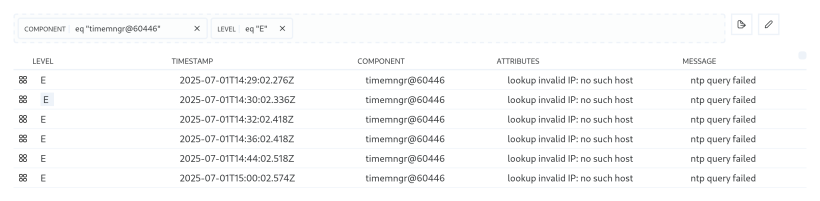
To look for possible configuration errors in the logs, use the query eq "timemngr@60446" [component] and eq "E" [level]:
For an example setting NTP in a router:
/ip/dhcp-server-network
 add address=100.65.0.0/29 gateway=100.65.0.1 ntp-server=100.65.0.2
Recap
We confirmed Access Gate can reach an NTP server over its upstream path, checked the firewall rules for outbound WAN, and optionally pushed an NTP server via DHCP from the router. Reach for this when log timestamps are off or certificate and tunnel authentication fails because the appliance clock has drifted.