
RDP is how operators reach Windows HMIs and engineering workstations, and an exposed 3389 is one of the most probed ports on any network: it invites credential stuffing and is a well-worn ransomware and lateral-movement entry point. On an OT network that workstation often cannot be patched or rebuilt on demand, so the exposure lingers. Access Gate brokers RDP behind identity so the desktop is never directly reachable. The operator authenticates at an access screen, the session is proxied over TLS/NLA in the browser, and every connection is scoped by enclave and logged.
What You Get
- Identity-gated desktop. The user authenticates at the Access Gate access screen before any RDP session is brokered to the HMI.
- Access scoping by enclave/ACL. Only assets in the operator's enclave are reachable; the HMI is never directly exposed on the network. See Access Control Lists.
- Centralized DNS, auth, and logging. Every RDP session is proxied and recorded through one identity-aware choke point, with no per-host RDP firewall rules.
- No client install or cross-OS RDP software. The session is browser-based, so an operator on macOS, Windows, or Linux connects the same way.
Set It Up
1. Add the asset
Register the HMI (wonderware-hmi, 172.31.144.39:3389, RDP) as an asset and place it in the enclave. See Protecting an asset with enclaves.
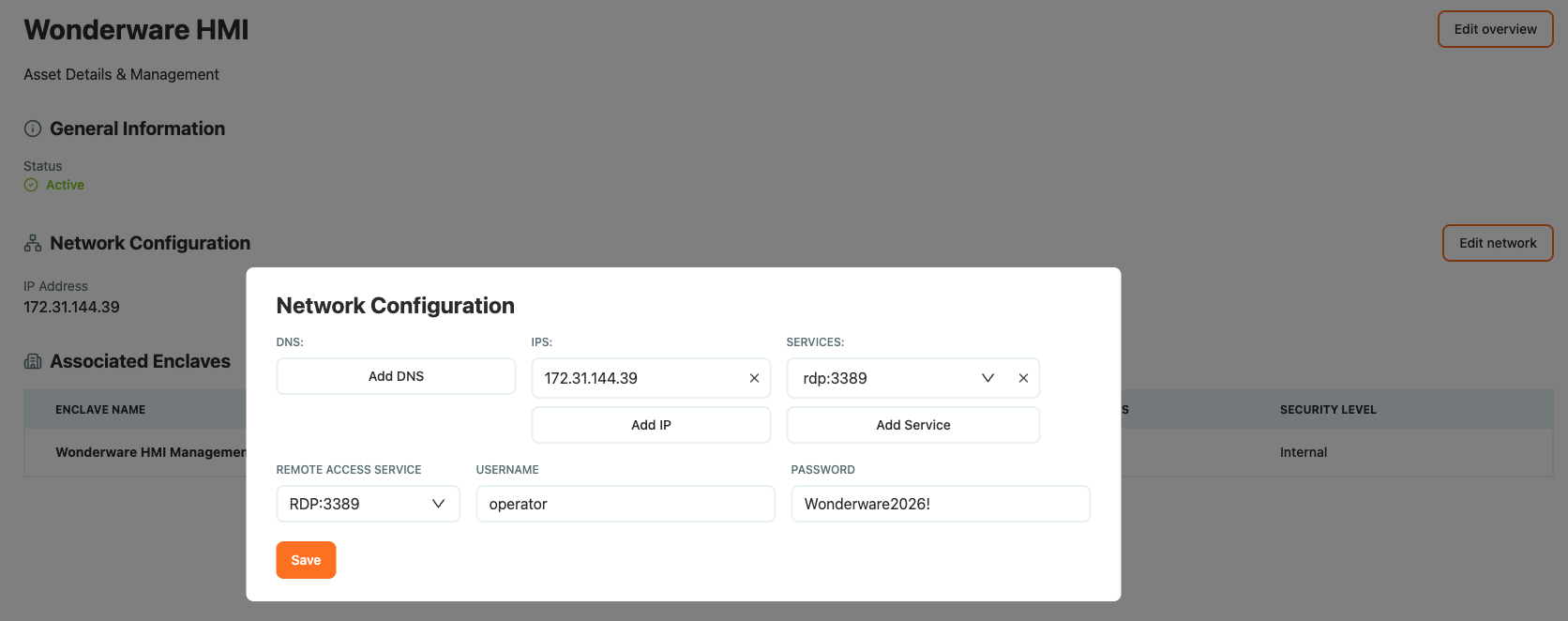
2. Create or assign the enclave
Place the HMI and the operator in the same enclave so Access Gate brokers the connection.
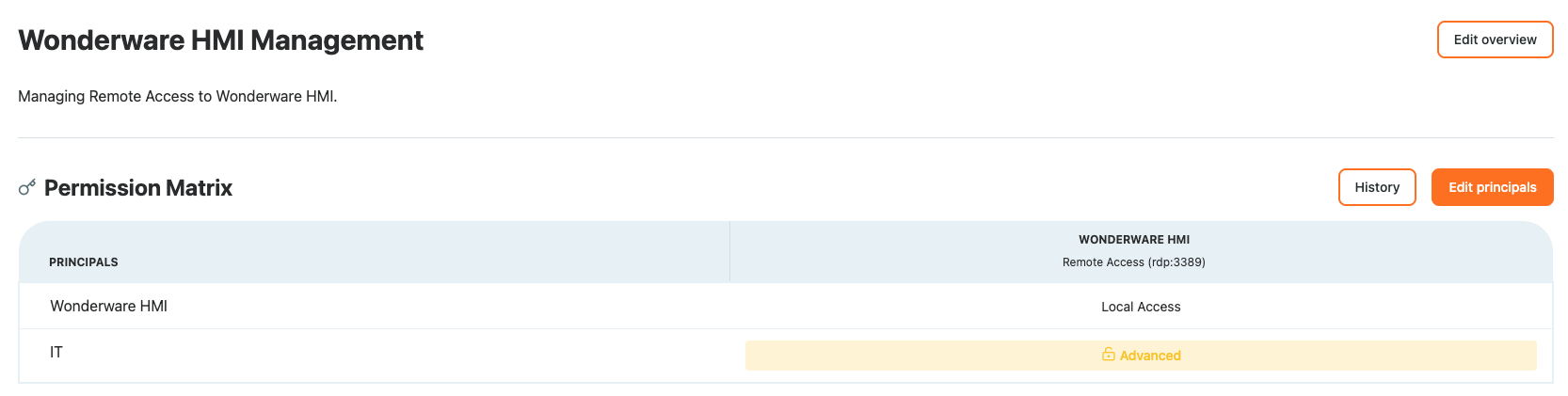
3. Connect
The user authenticates with the Access Gate access screen, then selects the device they want to reach.
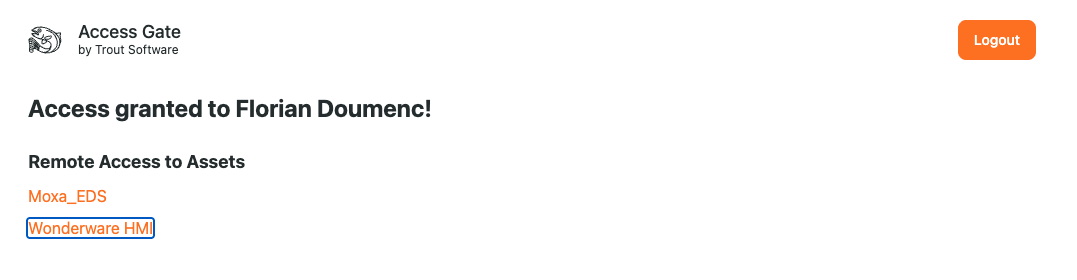
4. RDP session established
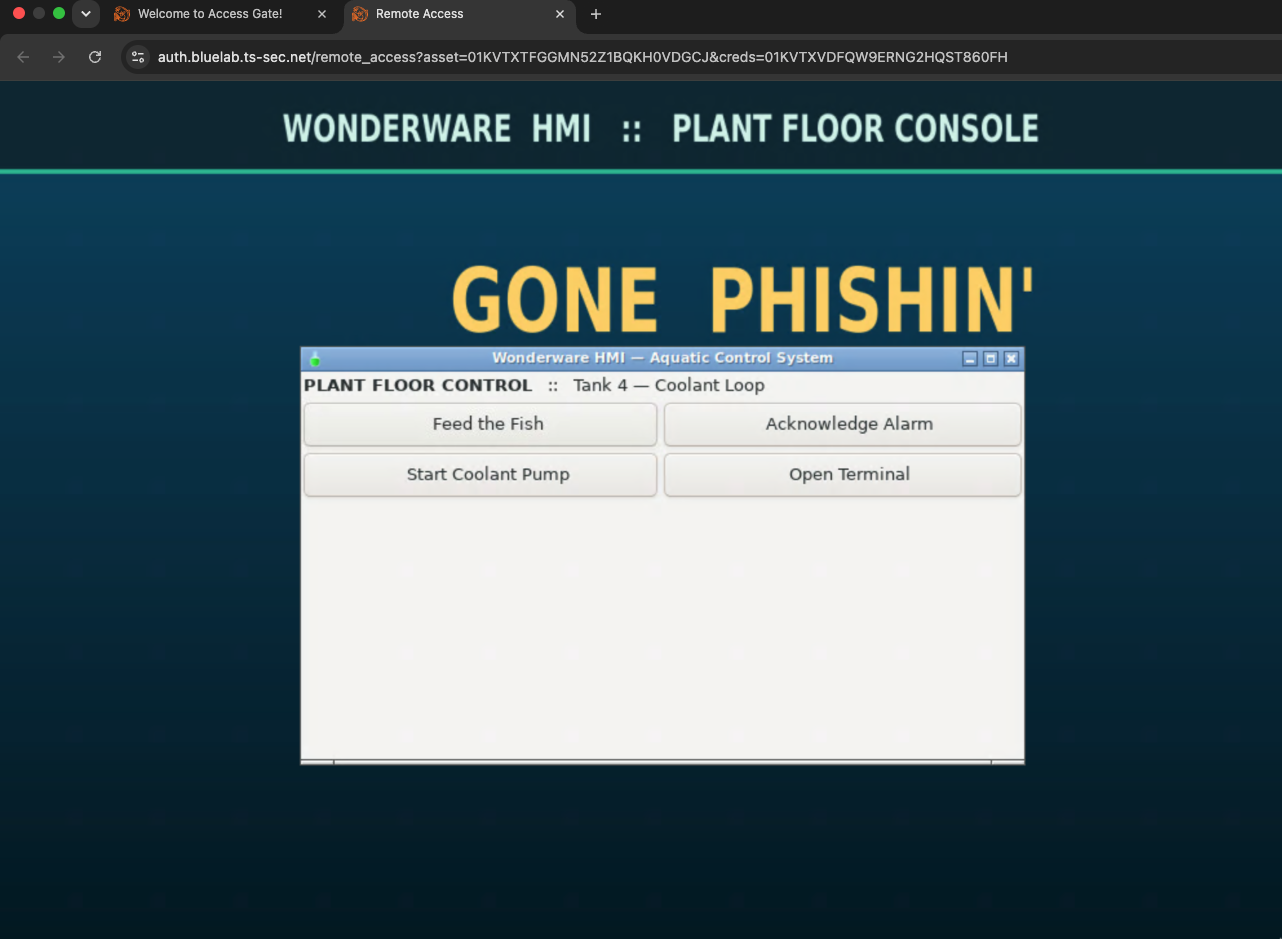
How RDP Negotiates Security
RDP picks a security layer during the X.224 handshake. Access Gate's broker requests, in order: SSL (TLS), then HYBRID (NLA/CredSSP), then RDP (legacy). The server must be able to satisfy one, or the client refuses with Server refused connection.
Example of the xrdp config that matters (/etc/xrdp/xrdp.ini):
security_layer=negotiate     ; offer TLS/NLA, fall back to RDP
crypt_level=high
certificate=                 ; blank, uses default /etc/xrdp/cert.pem
key_file=                    ; blank, uses default /etc/xrdp/key.pem
ssl_protocols=TLSv1.2, TLSv1.3
Hardening rationale: keep security_layer=negotiate and crypt_level=high so the broker gets TLS/NLA, not legacy RDP. The catch: xrdp must be able to read its TLS private key, or it silently downgrades and the client refuses the session.
Recap
With the asset in an enclave and the access screen in front, the HMI is reachable only through Access Gate: TLS-negotiated, identity-gated, fully logged, with no direct RDP exposure.