
SSH is the protocol for secure remote shell and file transfer. It runs on a wide range of equipment, from servers and network gear to the gateways and embedded controllers common in OT (a MOXA gateway in this example). The channel is already encrypted end to end, so the problem SSH presents on an OT network is rarely confidentiality. It is two other things: flat reachability (anything on the LAN can knock on port 22) and credential sprawl (devices secured with a single shared key or password that is hard to rotate). Access Gate addresses both, and it offers two distinct ways to do it.
How SSH security actually works
Three things are in play on every SSH session, and they fail independently:
- Host key (server identity). On first connect, the client records the server's host key. This is what stops a man-in-the-middle, and it is also what produces the "host key has changed" warning operators are trained to click through. The gate, brokering the session, gives you one consistent identity to verify instead of a key per device.
- User authentication. The user proves who they are with an SSH key (preferred) or a password (weaker, phishable, often shared). On OT gear this is frequently one shared credential baked into a runbook.
- Encrypted channel. Negotiated automatically. This part is already solid, which is why SSH security work is about the first two, not the cipher.
The takeaway: SSH does not need help encrypting. It needs help with who can reach the port and who holds the credential. The two access models below split on exactly that second question.
Two ways to broker SSH (pick one)
Model A: network-path grant
The standard default-deny enclave model. You write an allow rule for the ssh protocol (port 22) from a principal to the asset, and the operator connects with their own SSH client and key. The gate enforces identity and policy and logs the session, but the SSH credential stays between the operator and the device.
- Add the device as an asset and place it in an enclave, see Protecting an asset with enclaves.
- Add an
allowrule forssh(ortcp:{custom_port}if SSH runs off-22), scoped to the user, group, or peer asset that should connect. - The operator runs
ssh user@<overlay-name-or-ip>. Nothing on the device changes.
Use Model A when operators are trusted to manage their own keys, when a machine-to-machine flow needs SSH (an automation host reaching a controller), or when you want the lightest path that still gives default-deny and logging. The limitation: the device credential is still out in the world, so revoking access means revoking the grant and, eventually, rotating the key.
Model B: Remote Access proxy
When the device's credential should never leave the gate, use Remote Access: the gate stores the SSH key or password, injects it at login, and serves the session in a browser tab. The operator authenticates as themselves and never holds the device credential.
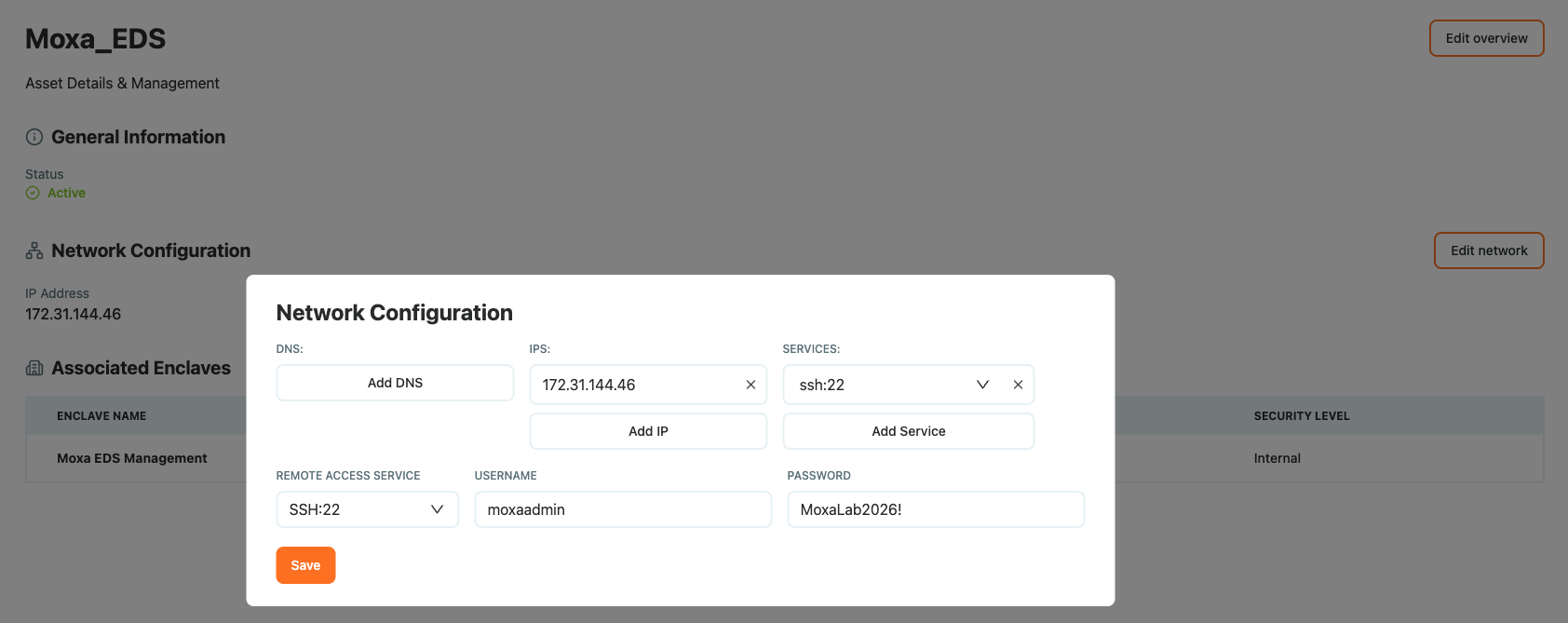
1. Create the asset and its SSH service
Add the device as an asset and declare its SSH:22 service. Open the asset, click Edit Network, and enter the Remote Access Service information (the credentials Access Gate uses at login).
2. Create an enclave
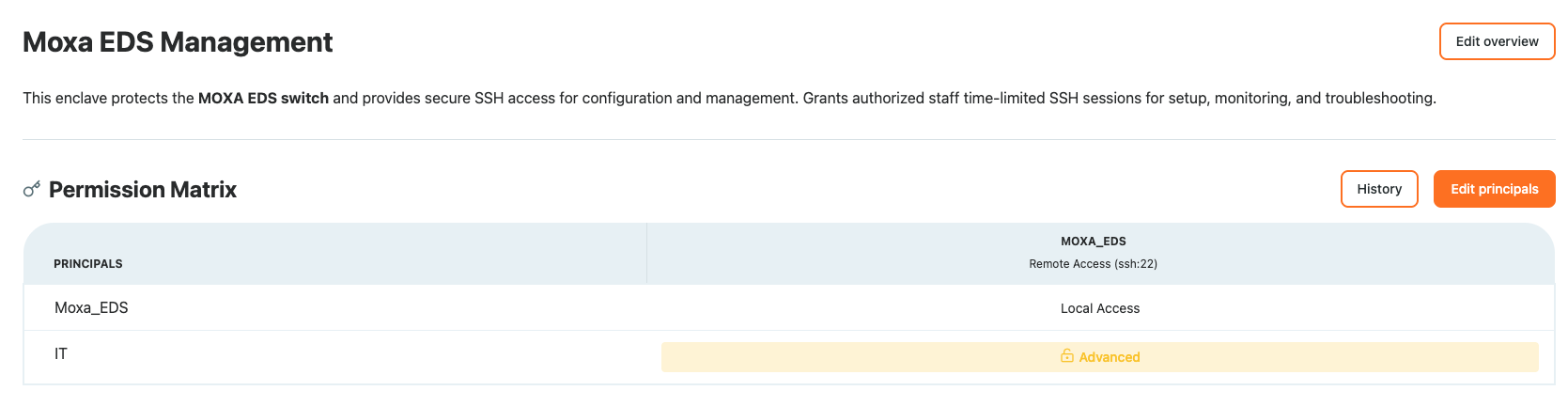
Create an enclave containing the asset and the user or group you want to grant access to.
3. Enable Remote Access on the grant
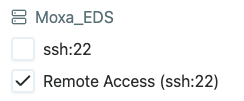
To grant Remote Access, a proxy session that Access Gate maintains, select the Remote Access option. With this option, the credentials stored on the Access Gate are used at login, without being exposed to the end user. Then grant access.
On the user side
The user authenticates through an access screen and sees the Remote Access sessions they can activate.
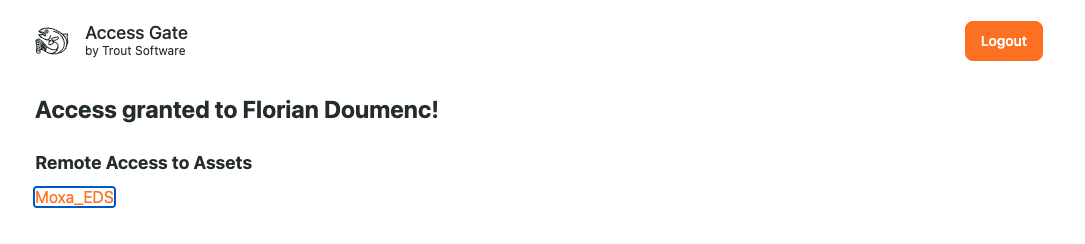
Clicking the link opens a browser session with Remote Access to the target machine.
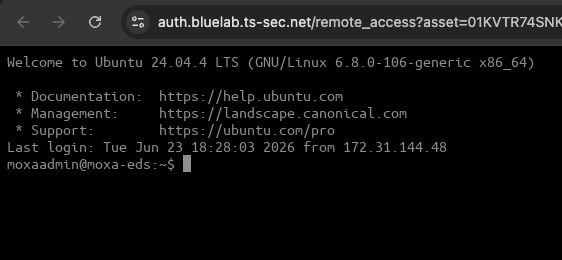
Credentials do not live on the operator's machine. The grant (creds=...) is injected server-side, so the person at the keyboard never holds the SSH key or password for the MOXA box. Revoking access is revoking a grant, not rotating a device credential. For the broader admin-session model (RDP, VNC, session recording), see Privileged Access Management.
Hardening notes
- Prefer keys over passwords, and on the device disable password authentication once key access is proven. With Model B this is moot for the operator, the gate holds the credential.
- SFTP and SCP ride the same grant. File transfer is SSH, so the same rule that grants shell also governs file movement. Scope it deliberately if an operator should get a shell but not bulk file copy.
- Revocation differs by model. Model A revocation is immediate at the network layer but the device key lives on until rotated. Model B revocation removes the only path to the credential in one step.
Recap
You have two ways to broker SSH: a network-path grant (Model A) where the operator holds their own key and the gate enforces reachability and logging, or a Remote Access proxy (Model B) where the gate holds the credential and serves a browser session so the operator never touches the device key. Both run on default-deny enclaves, neither requires changing the device.
Reach for Model A when operators manage their own keys or for machine-to-machine SSH; reach for Model B when a shared or unrotable credential must never leave the gate.