
To deploy a Secure Twin with Twin DNS (split DNS delegation), give each asset a DNS name in Access Gate, set the zone suffix on its subnet, then delegate that subdomain from your corporate DNS to the Access Gate resolver. Clients keep asking for the same name; the answer now points through the Access Gate, and nothing on the asset changes.
When assets are reached by name rather than by a hard-coded IP, you can bring them under the Secure Twin without touching a single device. Give each asset a DNS name that resolves to its overlay address, then delegate that zone from your existing DNS. Clients keep asking for the same name; the answer they get quietly points through the Access Gate.
This builds directly on Give your machines easy names, which covers how to give each asset a name. Here we take the next step: making your corporate DNS hand those names off to Access Gate.
What problem does Twin DNS solve?
Every asset in the Access Gate inventory can carry its own DNS entry, and Access Gate hosts the resolution for it, no extra box to stand up. The name resolves not to the device's real address but to its overlay IP, so a client that connects by name is transparently sent through the Access Gate for policy enforcement.
The only question left is how clients reach the Access Gate resolver. Rather than repoint every client's DNS at Access Gate, you delegate a single subdomain, for example secure.acme.corp, to it. Your existing DNS stays authoritative for everything else; only names under that subdomain are handed to Access Gate, which takes it from there.
How does Twin DNS work?
Two systems cooperate, and neither touches the assets:
- Access Gate resolves the asset names. Each asset gets a prefix (its name); each subnet contributes a suffix (the zone). Together they form a fully-qualified name that resolves to the asset's overlay address.
- Your DNS delegates the zone. You configure split DNS so that a subdomain,
secure.acme.corp, is forwarded to the Access Gate resolver. Any lookup under it returns an overlay address, and the traffic follows.
Because resolution is what changes, the assets keep their real IPs, gateways, and routing. A client simply receives an overlay answer instead of an underlay one.
Reference Lab
A single corporate zone is carried through every step so the names line up:
| Element | Value | Role |
|---|---|---|
| Corporate zone | acme.corp | Your existing internal DNS |
| Delegated subdomain | secure.acme.corp | Forwarded to Access Gate |
| Access Gate resolver | 100.65.0.6 | Hosts names for protected assets |
| Example asset | plc-line-1, underlay 10.0.0.3 | Resolves to overlay 100.64.100.3 |
So plc-line-1.secure.acme.corp resolves to 100.64.100.3, and traffic to that name transits the Access Gate on its way to the real 10.0.0.3.
How to deploy a Secure Twin with Twin DNS, step by step
1. Give each asset a DNS name
In Access Gate, open Asset → [Asset], select the pencil icon, and enter the asset's prefix (its name).
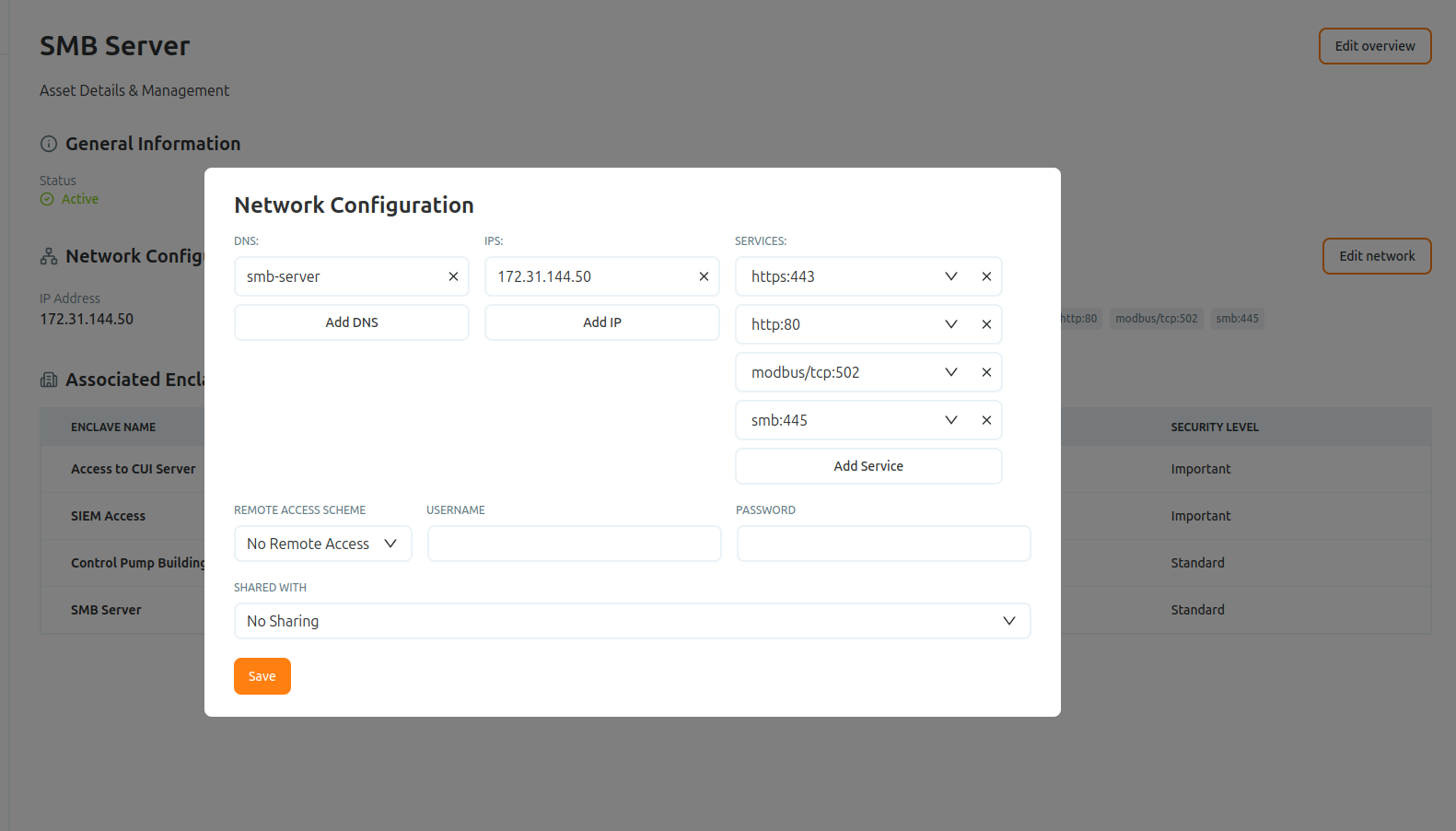
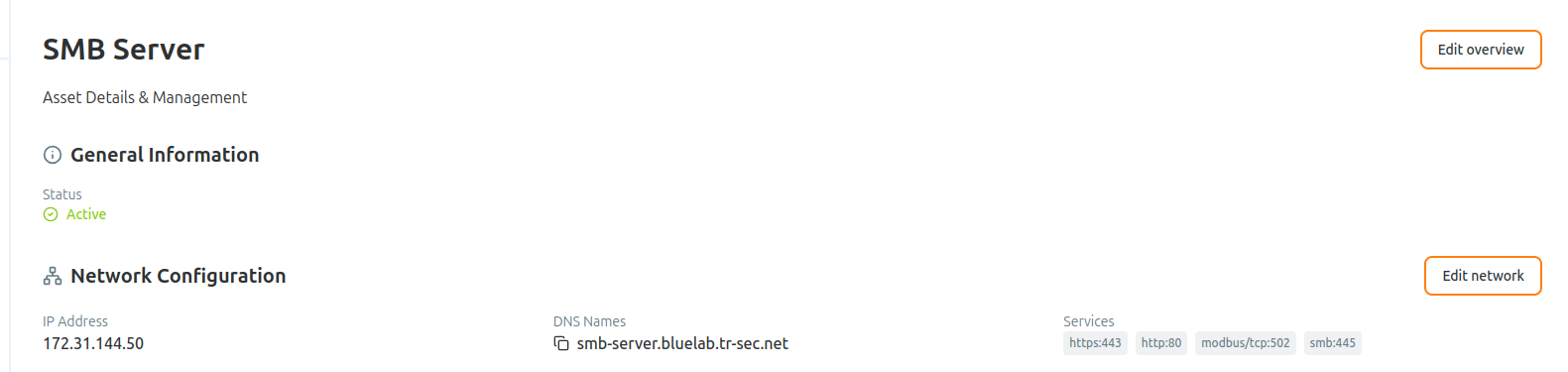
The name now resolves to the asset's overlay IP, so traffic sent to it is directed through the Access Gate proxy rather than straight to the device.
2. Set the zone suffix on the subnet
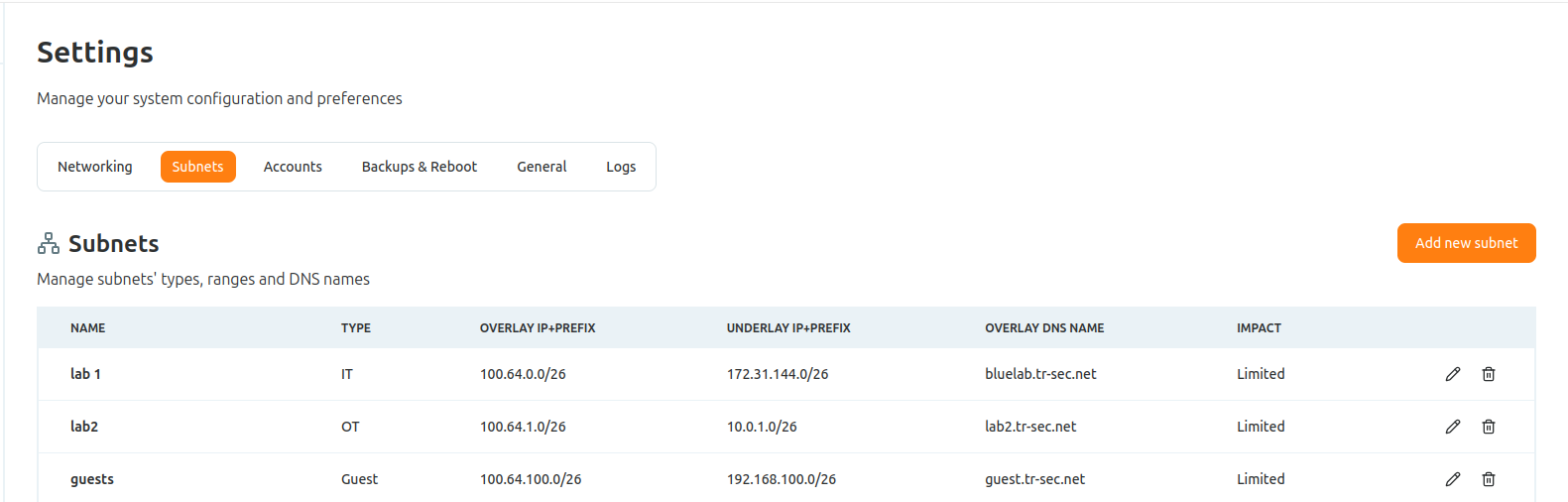
The suffix comes from your vnet configuration, under Settings → Subnets → Overlay DNS Name. Set it to the subdomain you will delegate, and every asset entry on that subnet inherits it.
3. Confirm resolution on Access Gate
Before delegating, confirm Access Gate resolves the name to an overlay address.
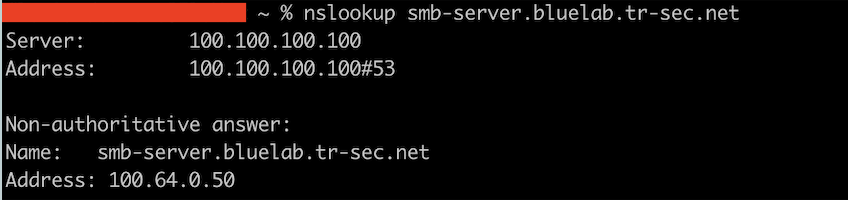
dig @100.65.0.6 plc-line-1.secure.acme.corp +short
# 100.64.100.3   -> an overlay address confirms Access Gate is resolving correctly
4. Delegate the subdomain from your DNS (split DNS)
On your existing DNS, forward the secure.acme.corp zone to the Access Gate resolver. Everything outside that subdomain stays exactly as it is.
# BIND: forward only the delegated zone to Access Gate
zone "secure.acme.corp" {
    type forward;
    forward only;
    forwarders { 100.65.0.6; };   # Access Gate resolver
};
On Windows DNS this is a Conditional Forwarder for secure.acme.corp pointing at 100.65.0.6; most other resolvers expose the same "forward this zone" concept.
5. Verify from a client
From a normal client using your corporate DNS, resolve the asset by name. The answer should be an overlay address, and the session should transit the Access Gate.
nslookup plc-line-1.secure.acme.corp
# Address: 100.64.100.3   -> resolved via the delegated zone, through Access Gate
What the full traffic path looks like
client  [asks corporate DNS for plc-line-1.secure.acme.corp]
  -> Corporate DNS (acme.corp)  [forwards secure.acme.corp -> Access Gate resolver]
  -> Access Gate resolver (100.65.0.6)  [answers 100.64.100.3, the overlay address]
  -> client connects to 100.64.100.3
  -> Access Gate (policy enforcement)  [maps 100.64.100.3 -> 10.0.0.3]
  -> plc-line-1 (10.0.0.3)
From the client's point of view, it looked up a name and connected to it as always. In reality the name resolved to an overlay address and the session passed through the Access Gate, with no change to the asset's real IP, gateway, or routing.
When to use this, and when not to
Delegating a subdomain brings named assets under the Secure Twin without touching them. You change one forwarder in your DNS, and every name under it is drawn through the Access Gate. It pairs naturally with SSL/TLS certificates, which are issued against a name rather than an address.
This fits when assets are reached by name, you control a zone you can delegate, and you are migrating one asset at a time.
Use another way when the assets are reached by raw IP. Twin IPs is the other per-asset method: it changes the destination the asset targets rather than the answer it receives. To move a whole subnet in one change instead of asset by asset, use Source-Based Routing. See Choose how to connect your machines.