
A flat list of 800 assets does not help an operator decide what to look at first. Access Gate lets you tag networks (vnets) and assets with an impact and a security level and carry that tag through every screen: the asset inventory, the alerts view, the ACL editor, the reports you export. That's what the risk matrix and vnet labels are for.
The Risk Matrix at a Glance
The risk matrix is a two-axis grid: likelihood × impact. Every asset lands in one cell.
| Low impact | Medium impact | High impact | Critical | |
|---|---|---|---|---|
| Rare | Informational | Monitor | Investigate | Priority |
| Likely | Monitor | Investigate | Priority | Urgent |
| Frequent | Investigate | Priority | Urgent | Urgent |
- Impact is a property of the asset, you set it once and it stays.
- Likelihood is derived from traffic, detection signal, and open ports.
This is how the Alerts view sorts events: a low-severity alert on a Critical asset outranks a high-severity alert on a lab workstation.
Setting Security Level on an Asset
Set impact for an asset
- Navigate to Assets → [Your Asset].
- Click the pencil icon → Edit overview.
- Pick Security Level: Low, Medium, High, Critical.
- Save.
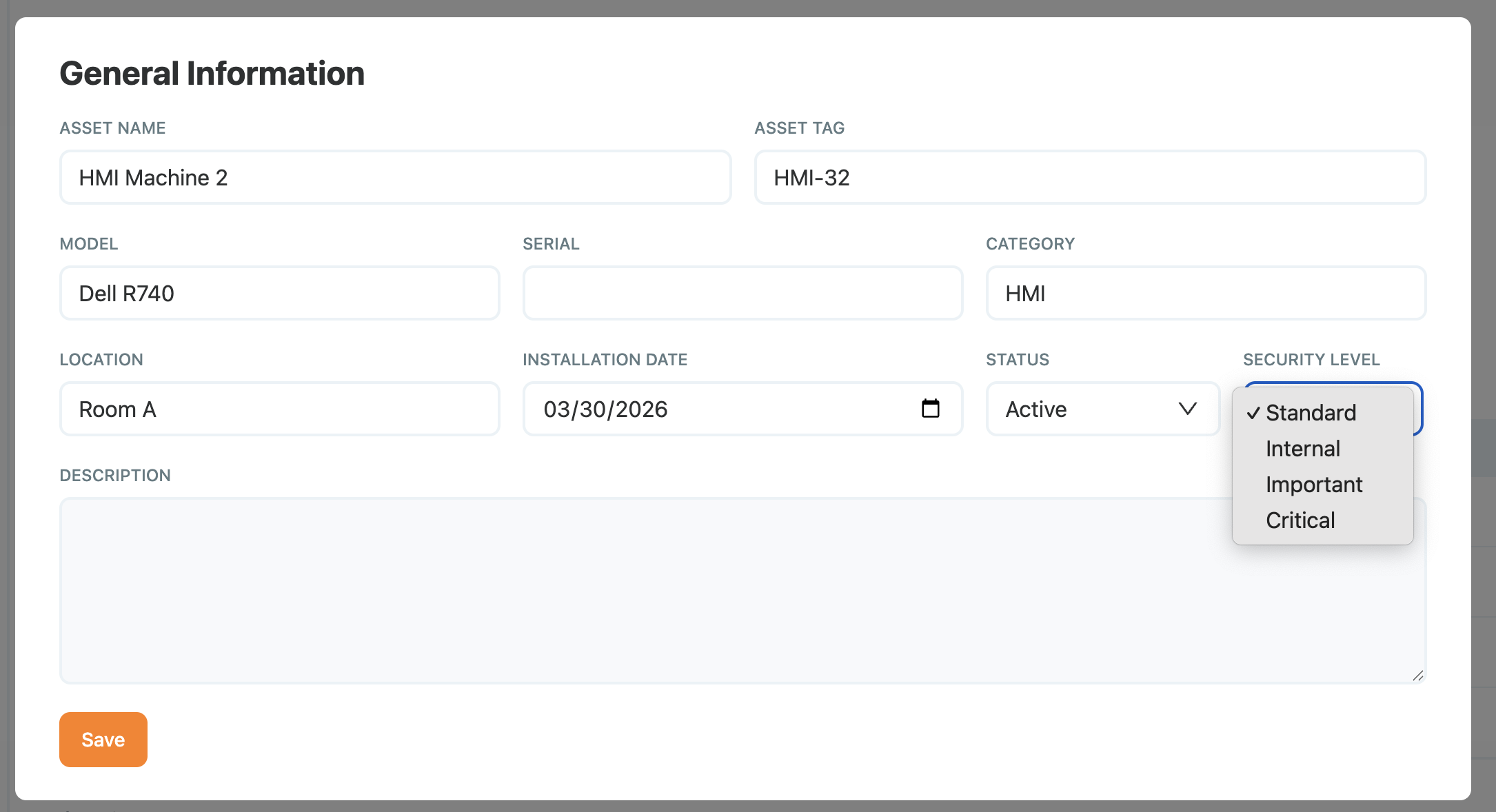
Adding Security level on an Asset
The Security Level tag propagates to every alert and report referencing that asset.
Set impact for a user
- Navigate to Users → [Your User].
- Click the pencil icon → Edit overview.
- Pick Security Level: Low, Medium, High, Critical.
- Save.
The Security Level tag propagates to every alert and report referencing that user.
Subnet Labels
A Subnet is a logical network, an overlay range, a monitored VLAN, a zone. For each subnet, you should define the impact: limited, moderate, strong & critical. This Impact will allow to prioritize alerts and enforce policies.
Setting Labels on a Subnet
Label a Subnet
- Navigate to Settings → Subnets → [Your subnet].
- Click the pencil icon.
- Select a value from the Impact dropdown.
- Save.
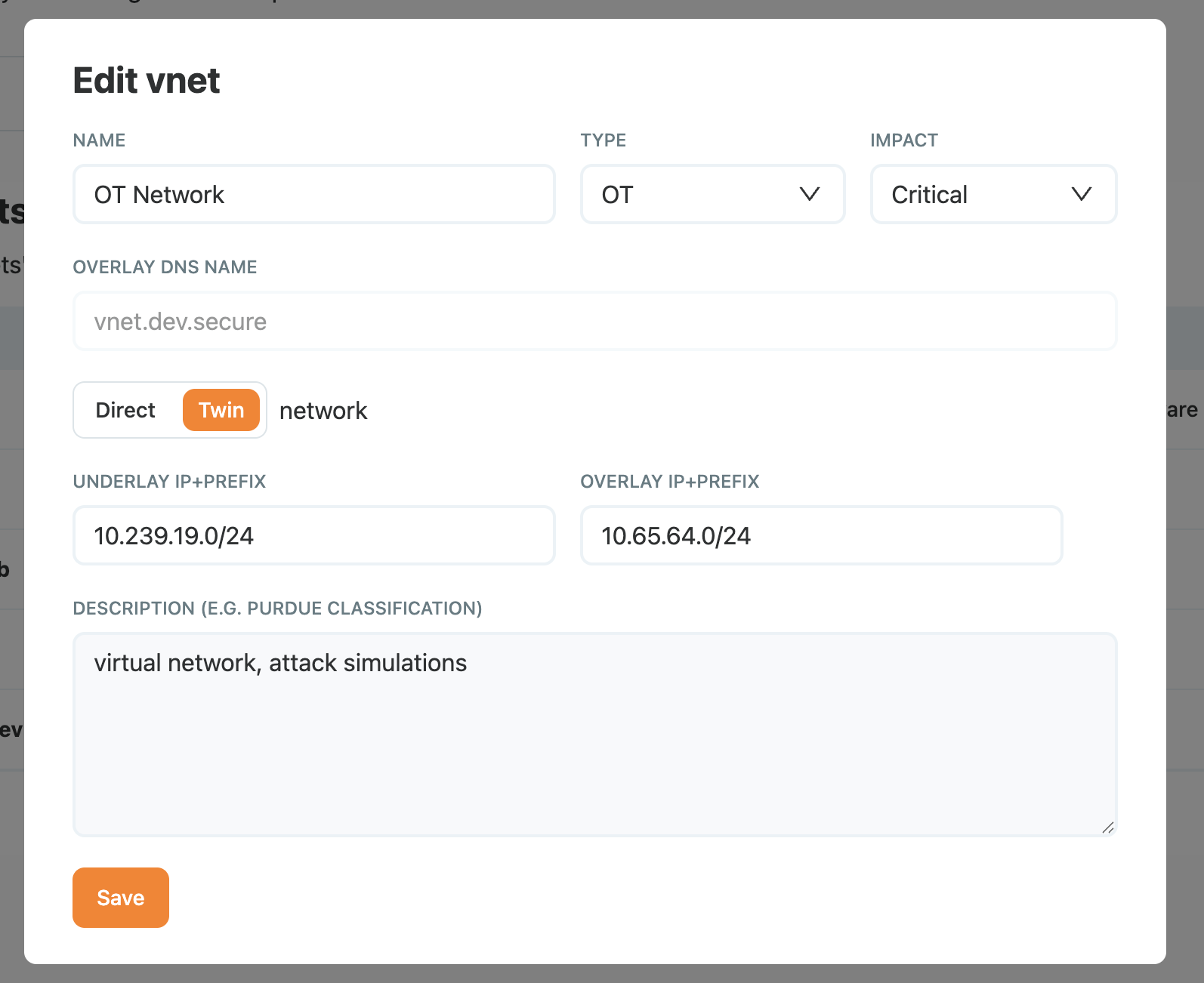
Setting Impact on a Subnet
Keeping the Matrix Accurate
The risk matrix is only useful if it reflects current reality. A few habits that keep it honest:
- Review quarterly: walk through
criticalandhighassets with the asset owner. - Tie to change control: onboarding a new production asset should set impact before the asset goes live.
- Purge stale labels: the monthly missing-asset report (see Detection and alerts) is a good moment to remove tags from decommissioned devices.
Recap
We tagged assets, users, and subnets with impact and security levels, which combine with derived likelihood to place each asset on the risk matrix and propagate through alerts, ACLs, and reports. Reach for this when a flat asset list makes triage impossible and you want alerts on critical assets to outrank high-severity noise on low-impact ones.