
v26.9 is about getting a site protected faster and keeping it that way: several user directories at once, a consolidated search to build access rules, access control enforced down in the kernel, detections for unapproved remote access, and opt-in remote support.
Highlights
Several directories at once: Active Directory, LDAP, Microsoft 365 and Access Gate.
Access Gate now synchronizes users from Active Directory and LDAP, next to Microsoft 365 (Entra ID) and the directory built into Access Gate. You can connect several directories at the same time, so each population lives where it belongs: your own team in the corporate directory, vendors and integrators in the Access Gate directory, where you create and remove their accounts without touching the corporate one.
Every user goes through the same access rules, the same multi-factor authentication and the same session reports, whichever directory they come from. LDAP and Active Directory connectors can also synchronize assets, not only users.
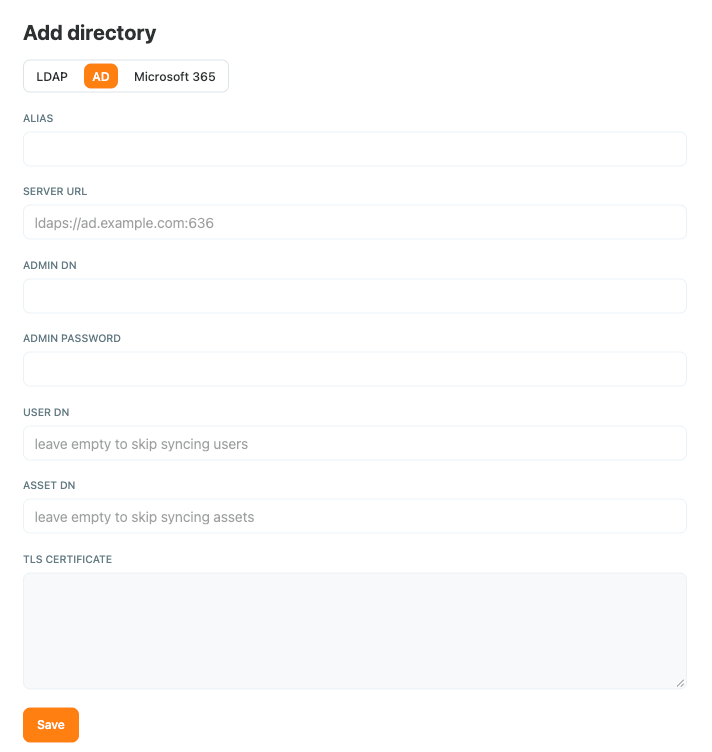
See Synchronize a user directory (LDAP and Active Directory).
One search to build access rules, from granular asset to whole zones
The Add New Principals window has been redesigned. One search covers users, groups, assets and zones across every connected directory, with filters by directory and by zone. You can now add an entire zone to an access rule in one step, instead of adding its machines one by one.
With directories synchronized and zones added whole, a new site can be set up and protected in less than a day.
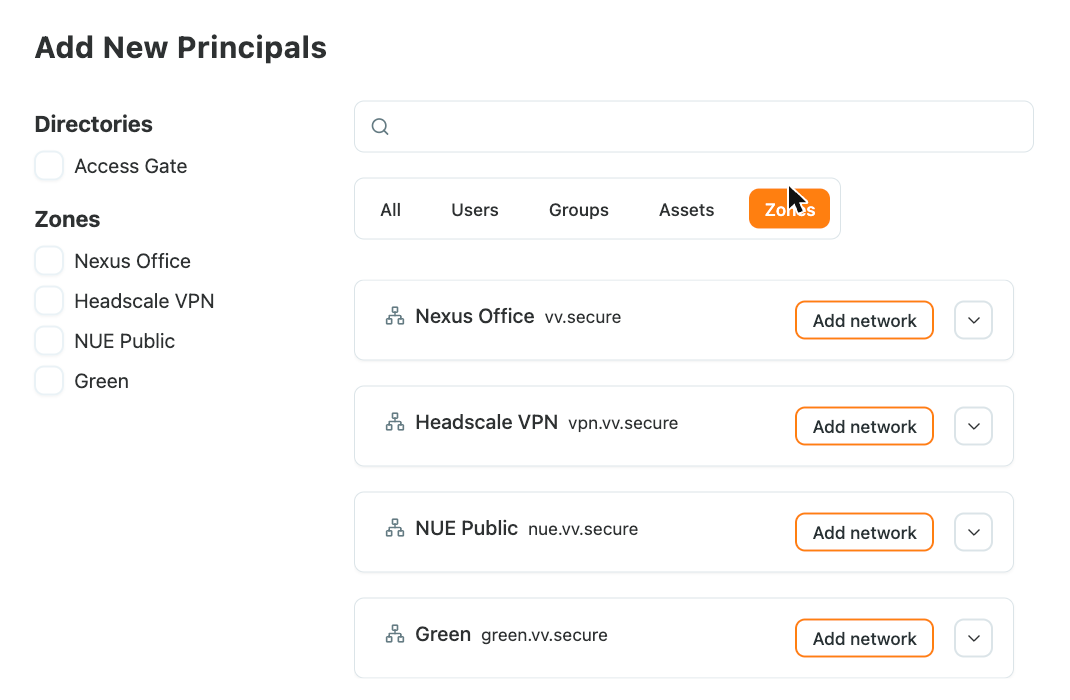
See Access Control Lists.
Access control enforced in the kernel
Access rules are now enforced lower in the system, in the kernel. When a rule changes or a task is finished, connections the rule no longer allows are closed, including sessions that were already open. This matters most for long-lived connections such as SMB sessions to a file share, which previously stayed up until they ended on their own.
Detection of unapproved remote access and risky OT traffic
New built-in rules detect:
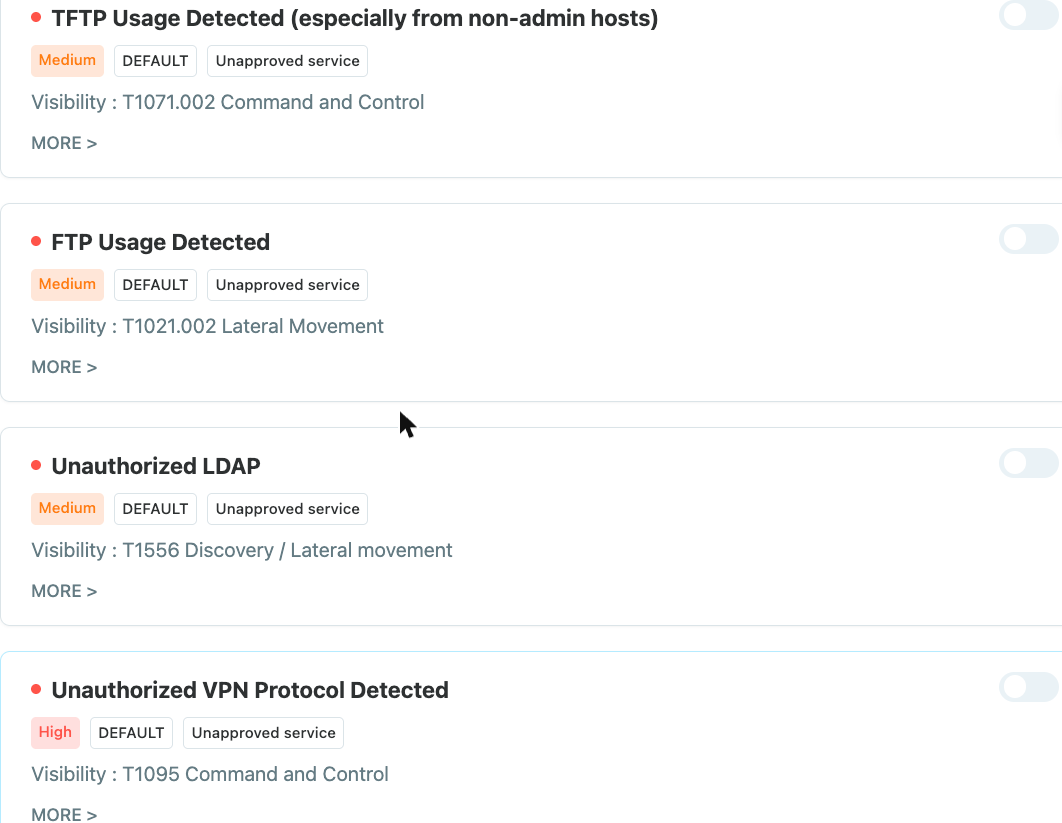
- Unapproved remote-access and screen-sharing tools, and remote-access protocols nobody approved, such as RDP services and VPN protocols.
- Firmware downloaded over plain HTTP, a common way a controller receives tampered firmware.
- TFTP use, especially from hosts that are not administration workstations.
- Application access from blacklisted IP addresses.
Because Access Gate sits in the path of the traffic, its alerts describe an action on a specific asset, such as a vendor opening a screen-sharing session to an HMI, rather than a generic scan or an unusual port.
Cloud Support: opt-in remote support and health telemetry
Under Settings → General → Cloud Support, two opt-in services help keep a fleet running:
- Remote Support: when you need help, an administrator turns it on and shares the support key with Trout support, by copying it or through its QR code. Nothing is reachable until you do.
- Send Telemetry Data: the gate sends health metrics to the remote server you enter, so you can watch many gates from one place.
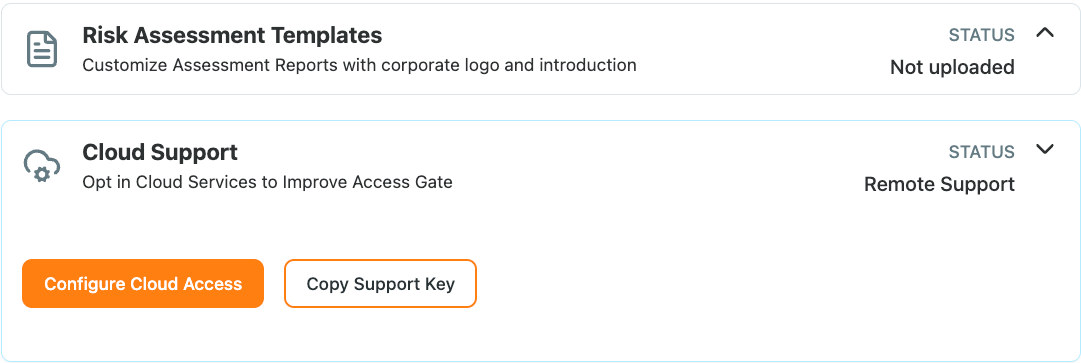
See Cloud Support.
Smaller improvements
- Fleet operations: a backup can be restored onto another device, for example after replacing hardware; a failed upgrade now rolls back the database along with the system.
- Virtual machines: a connectivity screen redesigned for virtual deployments, and a clean shutdown when the host powers the machine off.
- Asset categories: classify assets from a built-in list, for a cleaner inventory in compliance reports.
- Tailscale: routes to directly connected subnets are propagated, and Tailscale-connected assets resolve through DNS.
- DNS: international domain names are handled correctly.
- Confirmation before deleting an entity in the interface.
- Lower memory use for large record sets.
Changes
- The monitor role has been removed. Users who had it should be given another role; see User roles.
- Syslog is no longer offered as a data source.
Fixes
- DNS records are present after a restart.
- The access screen no longer stops serving.
- Assets can be assigned to users in very large inventories.
- An enclave clears when all services on an endpoint are removed.
- Certificates on the interconnect port belong to the managed PKI domains.
- The site "Edit Overview" screen no longer crashes.
- Diagnostics no longer keep the results of previous commands.