
This document walks through an example flow for assembling a compliance evidence pack, across four steps: scope, generate, fill the gaps, and hand over.
Treat it as a template for inspiration rather than a procedure to follow to the letter. Copy it, cut what does not apply to you, add the checks your site actually requires, and make it your own.
The example assembles a pack for a water utility ahead of a state review. The same sequence applies to a NERC CIP audit, a NIS2 supervisory request, a CMMC assessment, or a grant application that asks you to evidence your posture.
Step 1: Scope the request
Before generating anything, work out what is actually being asked.
- Identify the framework or requirement behind the request. NY DOH Part 5 and DEC 6 NYCRR Parts 616, 650 and 750 for a New York water system, NERC CIP for a registered entity, NIS2 Article 21 for an EU essential or important entity.
- Identify the site or sites in scope. Evidence is per site.
- Identify the period covered. A point-in-time snapshot and a twelve-month change history are different asks.
- Confirm who is receiving it and in what form.
Step 2: Generate what the system already holds
- Confirm the site exists in Access Gate with its name, location, and scope recorded.
- Confirm a contact holds the Cybersecurity Auditor role for that site, which is what allows assessments to be run against it.
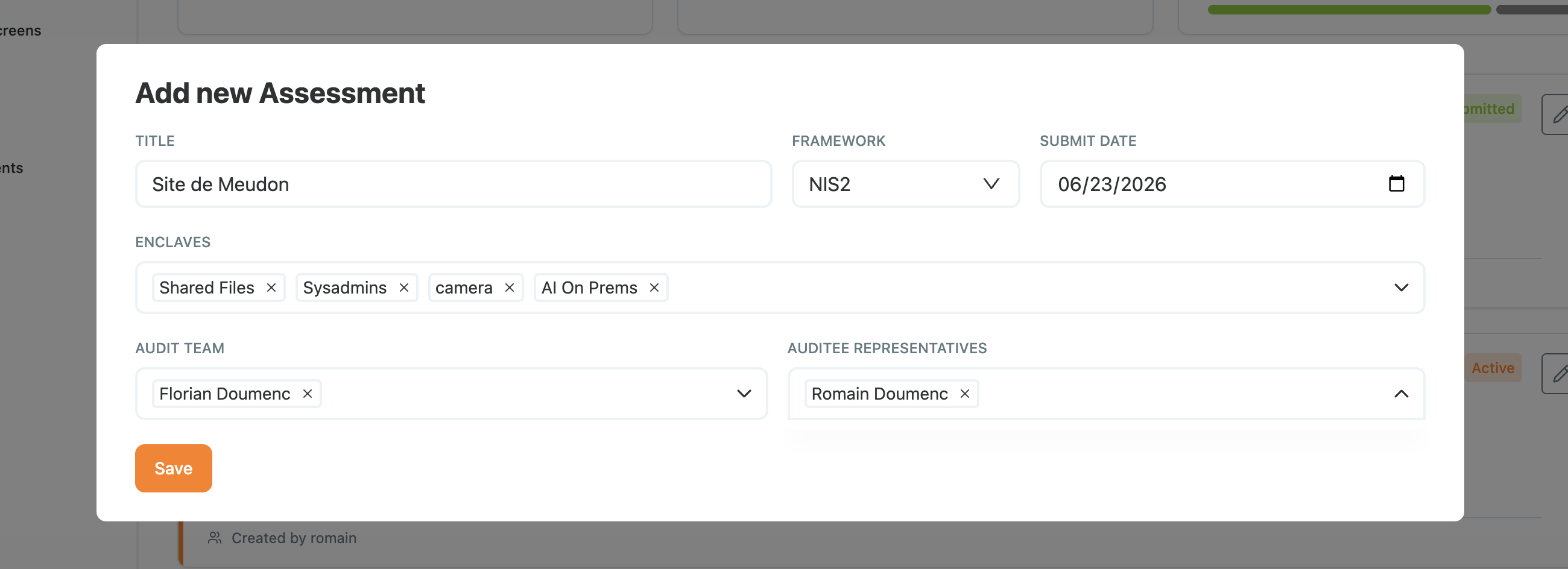
- Create the assessment: pick the framework, the enclaves in scope, and the audit team.
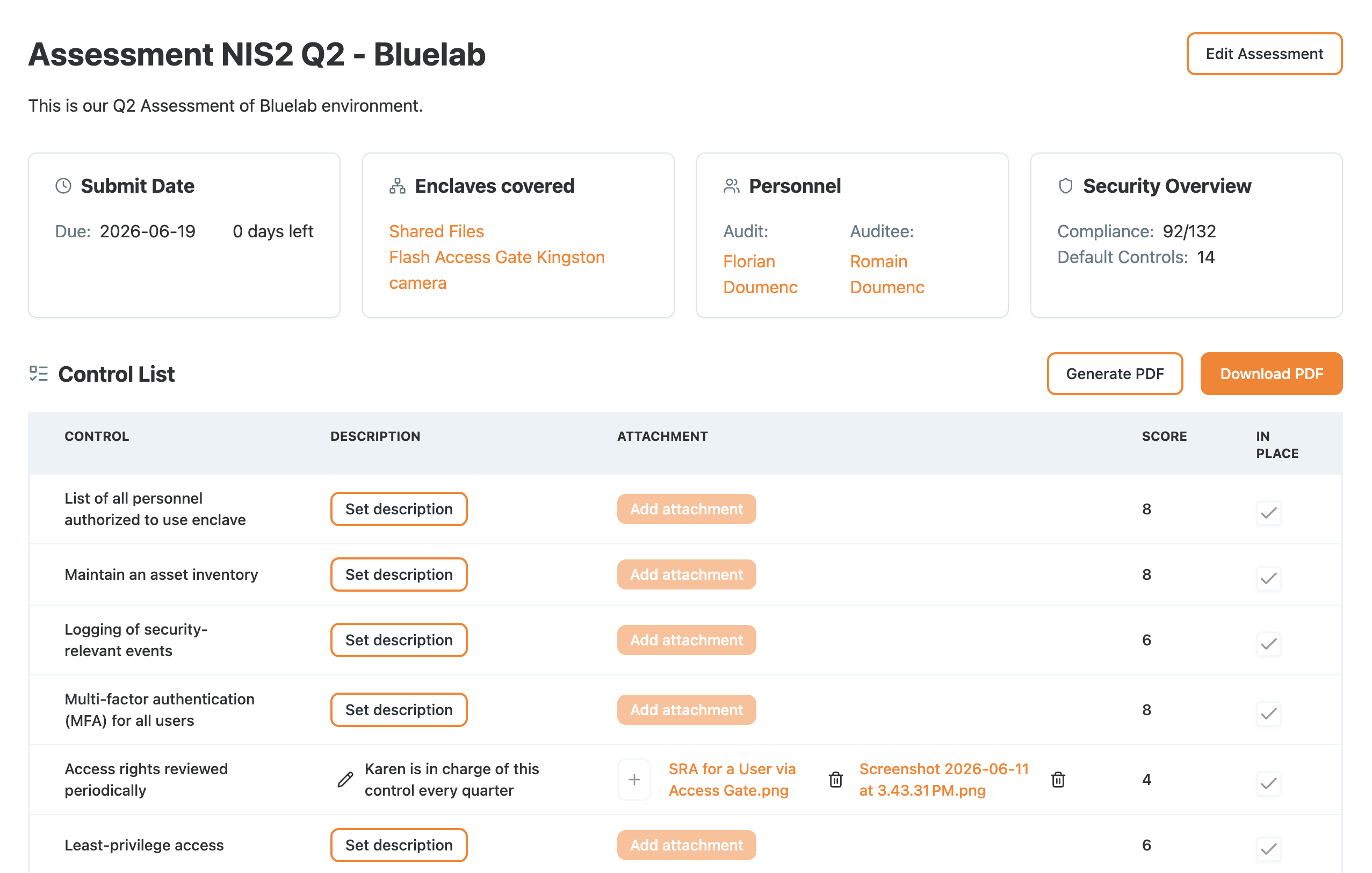
Controls that Access Gate enforces directly are marked in place automatically, with the supporting data attached. In practice that covers a large share of what is asked: personnel and asset inventory, security event logging, MFA, least-privilege access, and segmentation.
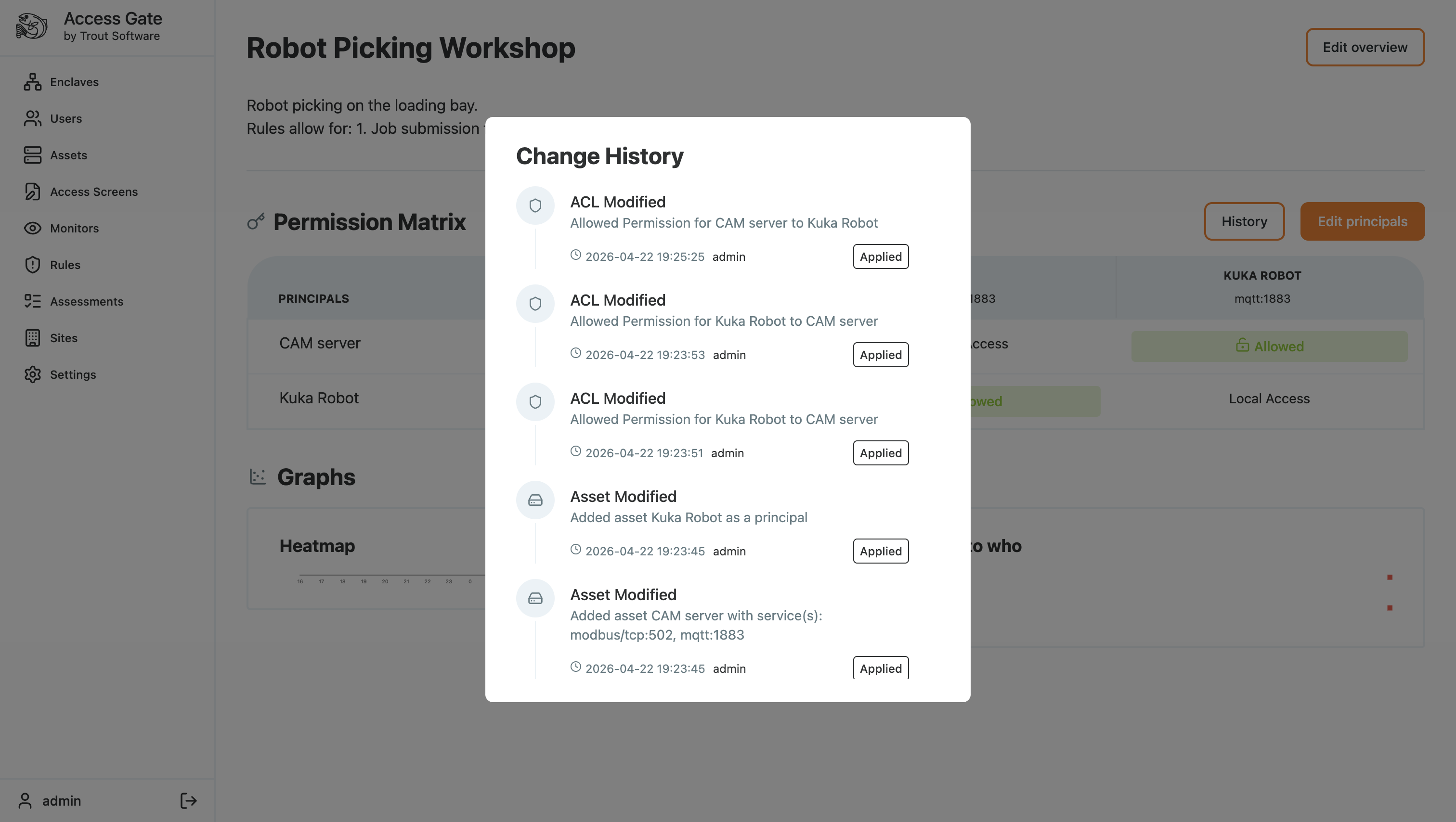
Alongside the assessment, pull the supporting exhibits:
- The asset inventory, answering what is on the network.
- The permission matrix per enclave, answering who can reach what.
- The enclave change history for the period, answering what changed and who changed it.
- Confirmation that logs reached your SIEM, answering whether anyone was watching.
Step 3: Fill the gaps honestly
The controls Access Gate does not enforce are still yours to answer.
- Complete the remaining controls with a description and an attachment each.
- Cover the things no network control produces: physical security, staff training records, your incident response plan, backup and restore testing, contracts with suppliers.
- Where a control is not met, say so and record the compensating control or the remediation plan.
Attach your incident response procedure here, along with your access review records. Both are commonly requested, and both are far more convincing as a written procedure with evidence of it being run than as a policy statement.
Step 4: Submit, export, and hand over
- Submit the finalised assessment.
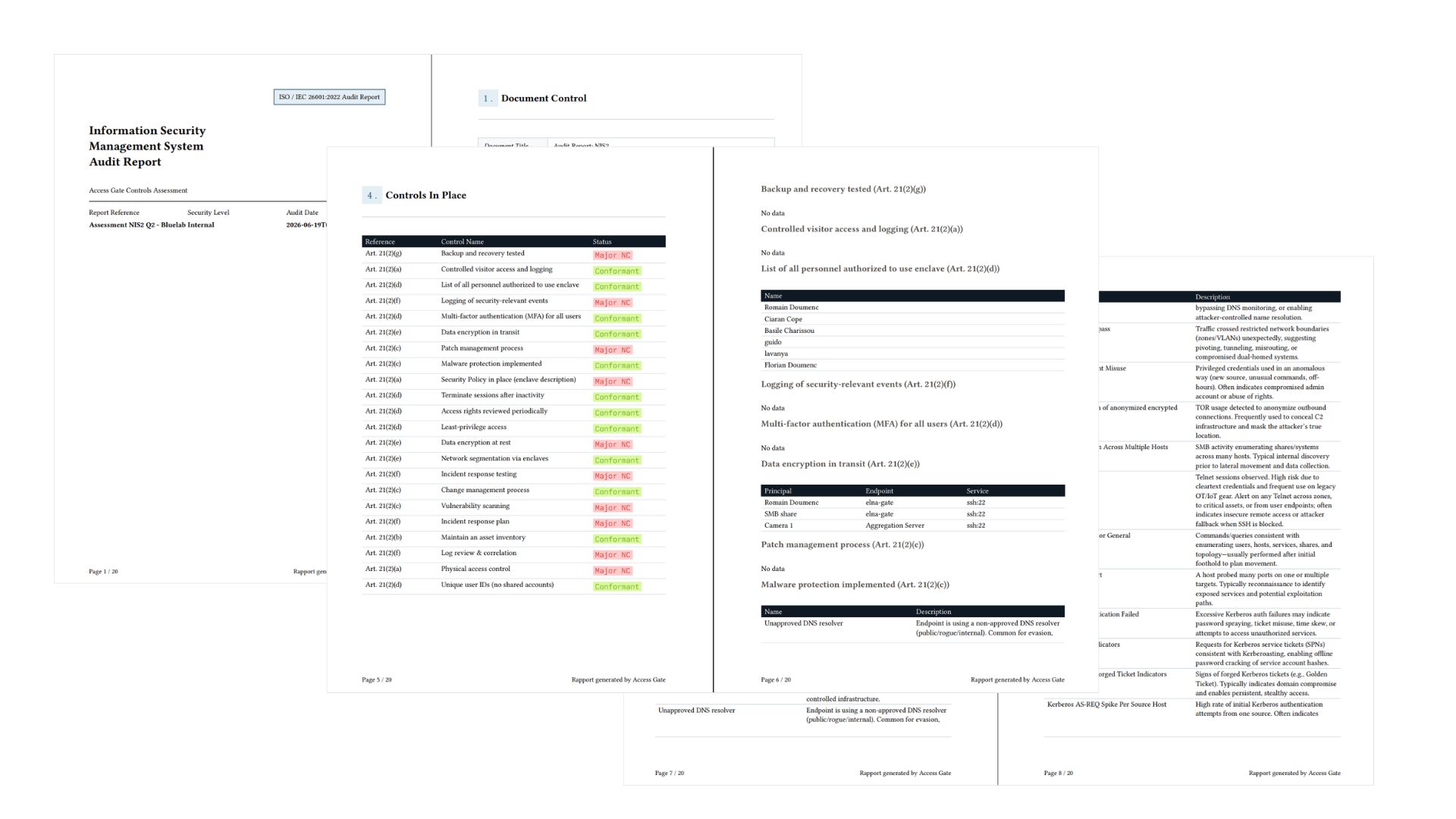
- Generate the PDF report and export it.
- Assemble the pack: the report, the exhibits from Step 2, and the supporting documents from Step 3.
- Keep a copy of exactly what you sent and when.
Note the date the data was current. Evidence ages, and a pack assembled in March does not describe your posture in October.
See Creating and Exporting a Risk Assessment Report for the full workflow.
What we have achieved
Across the four steps we have:
- Scoped the request to a framework, a site, and a period, rather than preparing for everything.
- Generated the controls Access Gate already evidences, auto-filled with live data.
- Documented the rest honestly, including the gaps and what is being done about them.
- Exported a dated pack, with a record of what was handed over.
The work was assembly, not authorship. That is the difference between compliance as an annual project and compliance as a by-product of running the controls you already run.