
This page turns on the two opt-in Cloud Support services, remote support from Trout and health telemetry, and explains how you stay in control of both.
Access Gate runs on premises and works without any cloud service. Cloud Support is optional: two services you turn on when they help you, and off when they do not.
| Service | What it does | When to use it |
|---|---|---|
| Remote Support | Lets Trout support reach this Access Gate, using a support key that you share | When you open a support case and want Trout to look at the gate directly |
| Send Telemetry Data | Sends health metrics from the gate to a remote server you choose | When you run several gates and want to watch their health from one place |
Open Cloud Support
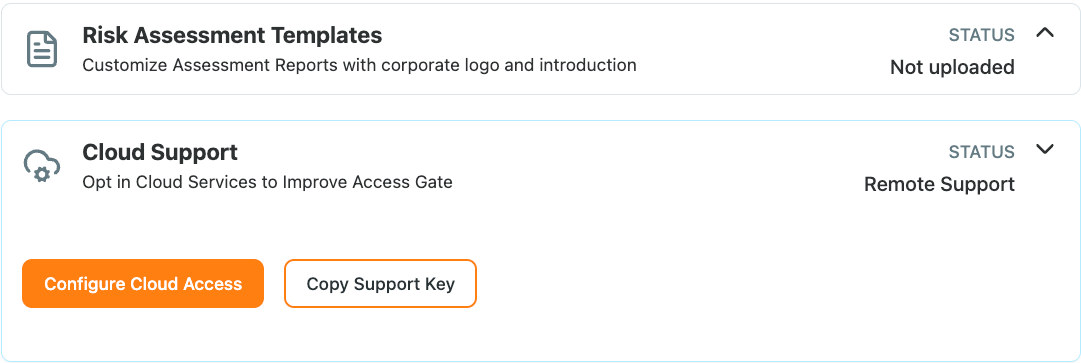
Go to Settings → General and expand Cloud Support. The status shows which services are on. From here:
- Configure Cloud Access opens the settings for both services.
- Copy Support Key copies the key that Trout support needs to reach this gate. The same key is shown as a QR code, for sharing from a phone.
Give Trout support access
- Click Configure Cloud Access.
- Turn on Remote Support, then click Save. The support key is shown.
- Click Copy Support Key, or scan the QR code, and send the key to Trout support through your support case.
Trout support can reach the gate only while Remote Support is on and with the key you shared.
Send health telemetry
- Click Configure Cloud Access.
- Turn on Send Telemetry Data.
- Enter the Remote server that collects the metrics, then click Save.
The gate then reports its health to that server, so a partner or a central team can watch a fleet of gates without signing in to each one.
Recap
We opened Cloud Support under Settings → General, turned on Remote Support and shared the support key with Trout support, and set up health telemetry to a remote server. Both services are opt-in and can be turned off at any time.
Reach for this when you open a support case and want Trout to look at a gate directly, or when you run many gates and want their health in one place.